









Price: $169.99 - $119.99
(as of Aug 08, 2025 23:03:17 UTC – Details)
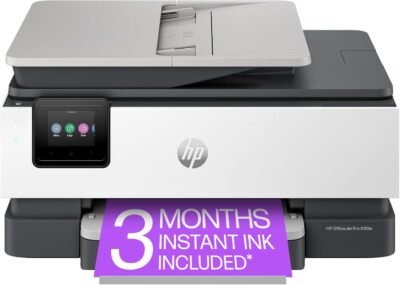
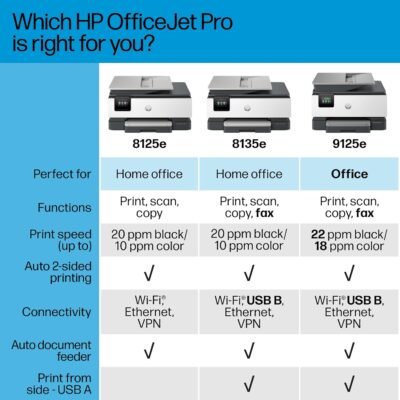
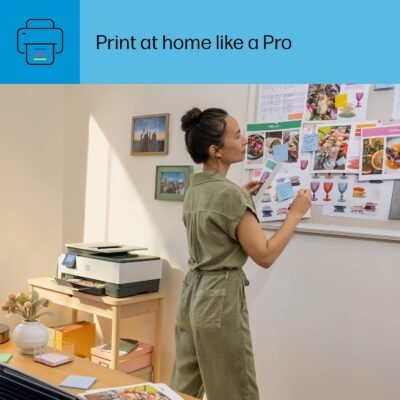
The HP OfficeJet Pro 8125e delivers fast colour printing, 225-sheet paper capacity, and scan and copy capabilities. It includes wireless and printer security features to keep your multifunction printer up to date and secure.
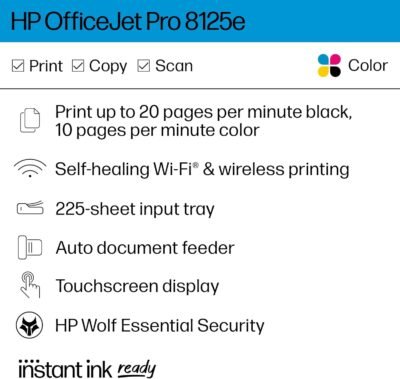
FROM AMERICA’S MOST TRUSTED PRINTER BRAND – The OfficeJet Pro 8125e is perfect for home offices printing quality colour documents like business documents, reports, presentations and flyers. Print speeds up to 10 ppm colour, 20 ppm black
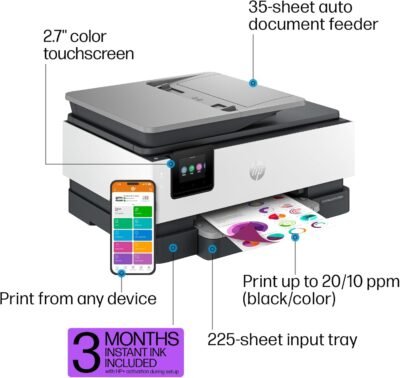
UPGRADED FEATURES – Fast colour printing, scan, copy, auto 2-sided printing, auto document feeder, and a 225-sheet input tray
WIRELESS PRINTING – Stay connected with our most reliable dual-band Wi-Fi, which automatically detects and resolves connection issues
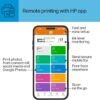
HP APP – Print, scan, copy, or fax right from your smartphone with the easiest-to-use print app
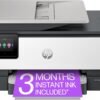
6 MONTHS OF INK INCLUDED when you activate HP+ – Subscribe to Instant Ink delivery service to get ink delivered directly to your door before you run out. After 6 months, monthly fee applies unless cancelled
2.7-INCH TOUCHSCREEN – Quickly navigate your printer with a large colour touchscreen and a phone-like user interface
PROTECTS YOUR DATA – HP Wolf Essential Security bolsters security and helps keep your network protected from cyber threats
SUSTAINABLE DESIGN – Made with more than 45% recycled plastic
This printer is intended to work only with cartridges with HP chips or circuitry and will block cartridges using non-HP chips or circuitry. Periodic firmware updates will maintain the effectiveness of these measures.
Customers say
Customers find the printer easy to set up and appreciate its excellent print quality, with one noting its amazing photo capabilities. Moreover, the device works well and offers good value. However, connectivity experiences are mixed, with some customers reporting immediate WiFi connection while others struggle to connect their devices. Additionally, the ink quality receives mixed feedback, with some praising the 3-month free ink offer while others report connectivity issues. Customers also mention paper jams as a concern.






Kindle Customer –
Great Device.
Fast install, connected 1st try.works well, excellent scans, Worth the money.
Northside Jake –
HP does it right with this printer – OfficeJet Pro 8120e
I’ve always preferred Canon multifunction inket printers, but the 8620 that I had just wasn’t reliable. Won’t scan from the feeder, won’t print because the head is junked up. Time to replace. But with what? Another 8620 is now $200 and for just scanning and the occasional color print, that’s just too much. I have two B&H lasers for heavy duty printing.So, after reading the reviews, I found this 8120e. While the ink is pricey, I don’t do that much printing. What I need is reliability. So I ordered it yesterday and it came TODAY. Unboxing and setup were MUCH easier than I expected. Download the app, follow the directions, take out the tape and packing materials, install the cartridges and align the printhead. Just plain easy. The only hitch was that as soon as the printer was online, it needed to update its firmware which bolixed up my scanning test. But once the printer rebooted and took a deep breath, scanning was quick and easy from the document feeder. It automatically installed all of the drivers to my Windows 11 laptop.So we’ll see. But so far, so good and bye bye Canon.
Pam K –
So far so good.
So far so good, however it took me two hours to get it setup and connected to the internet. Not sure why it was so hard as this is my 5th HP instant ink printer and I’ve never had a problem. I finally had to chat with HP to get it to connect. Once connected, it is working great with no problems staying connected. I’m a big fan of the instant ink plan so hopefully this printer will holdup. My most recent home one lasted 5+ years.
Mark Aguilar –
Don’t waste your money
This is the worst printer I have ever purchased and I immediately regretted it. I’m very computer savvy and it took me over 4 hours to get this printer installed. And now you have to sign up for an HP account in order for it to work which I also had issues with. It’s unbelievable. You can go to any website and create an account with ease, but not with HP. They make everything difficult. Then as soon as I got it all set up, paper jams… endless paper jams. I couldn’t believe it. I almost through it out the window. I am most likely returning this and switching to Brother or a more reputable printer. HP has gone downhill.
Billie L. McClure –
Easiest WiFi Connection Ever
Easiest set up I’ve ever had for a printer. Copies are clear; copier is quiet. Two-sided copies are excellent. Very reasonable price for a good copier.
Amazon Customer –
Extremely happy with my new home printer!
Extremely happy with purchase. I am retired and needed a home printer for various tasks. I read a ton of reviews and articles and I kept coming back to this printer. It was very easy to set up, connected to my wifi immediately, I downloaded the app and took some time to read the instructions. Print quality was great. It also came with ink! Overall very happy with the printer for small to medium tasks!
N Letbetter –
Good machine.
Easy to set up. Works well. Worth the money.
Fairhaven Vine Nursery –
Excellent Printer
Very nice device! Super easy setup and wifi connection. Very good print quality. Sign up and get $100 worth of free ink!
MAS –
Quiet and very easy to set up with a computer and a cell phone.
Amazon Customer –
We have had quite a few HP All in One printers over the years – just got this one and it is working fine – had a little challenge getting it to talk with computer on wifi – but HP support got it working for us