

Price: $59.88 - $46.99
(as of Aug 10, 2025 17:28:11 UTC – Details)
From the brand


We want you to live without the inconvenience and uncertainty of where your next charge is coming from.
Our chargers and accessories don’t just power up your devices, they offer the tech experience you want with zero restrictions.
Fast access to today’s prime
Power to Drive Your Prime
Ultimate Power to Keep Giving
Doubly Fast in a Snap
Pro Fast Charging in a Nano
Anker’s Sustainability Plan
Get Powered Up Now
Series 7 I Future Technology
Series 5 I Higher Quality
Series 6 I Unique Experiences

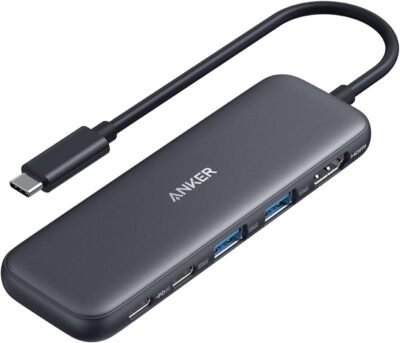
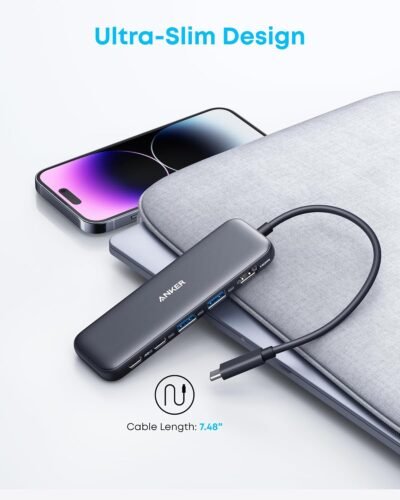
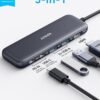
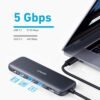
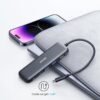
5-in-1 Connectivity: Equipped with a 4K HDMI port, a 5 Gbps USB-C data port, two 5 Gbps USB-A ports, and a USB C 100W PD-IN port. Note: The USB C 100W PD-IN port supports only charging and does not support data transfer devices such as headphones or speakers.
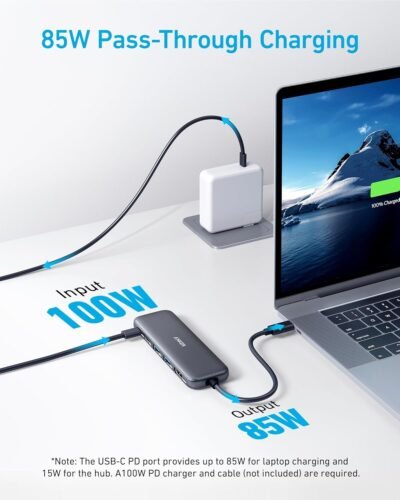
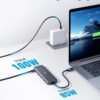
Powerful Pass-Through Charging: Supports up to 85W pass-through charging so you can power up your laptop while you use the hub. Note: Pass-through charging requires a charger (not included). Note: To achieve full power for iPad, we recommend using a 45W wall charger.
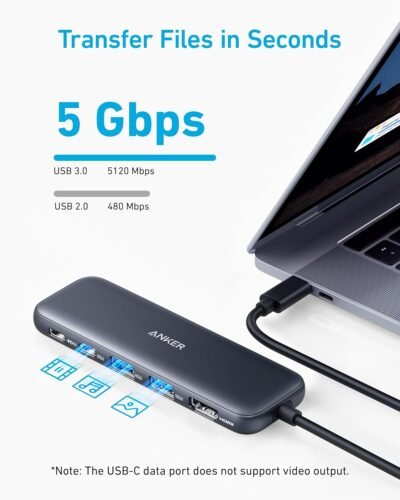
Transfer Files in Seconds: Move files to and from your laptop at speeds of up to 5 Gbps via the USB-C and USB-A data ports. Note: The USB C 5Gbps Data port does not support video output.
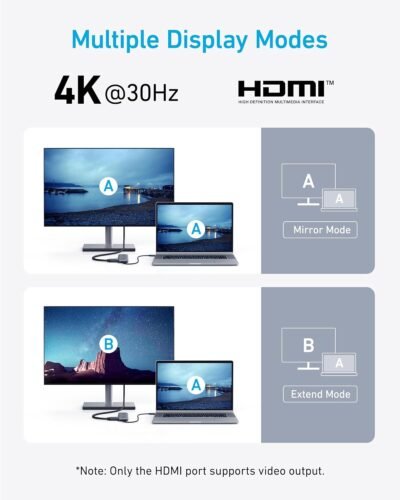
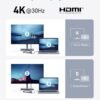
HD Display: Connect to the HDMI port to stream or mirror content to an external monitor in resolutions of up to 4K@30Hz. Note: The USB-C ports do not support video output.
What You Get: Anker 332 USB-C Hub (5-in-1), welcome guide, our worry-free 18-month warranty, and friendly customer service.
Compatibility: Supports USB-C, USB4, and Thunderbolt connections. Compatible with MacBook (macOS 12 and newer), Windows 10 and 11, ChromeOS, and laptops equipped with DP Alt Mode and Power Delivery. Note: This device is not compatible with Linux.
Customers say
Customers find the USB hub works fantastically, is easy to use with immediate plug-and-play functionality, and appreciate its compact size that fits anywhere for easy on-the-go storage. Moreover, they consider it good value for money and convenient for travel. However, the port functionality and connectivity receive mixed reviews, with some customers reporting that USB-C ports don’t work and HDMI ports don’t function properly. Additionally, the build quality is also mixed, with some praising its construction while others find it cheaply made.






Laurel Clark –
Versatile, compact, and durable.
Perfect for use with my Windows Surface 4 laptop. It has all the outlets I need for a very reasonable price.It gets a little bit warm, but nothing excessive. Anker makes a good product, and I expect this to last a long time.Very compact, and a great purchase.
B –
This one supports display but no sd slots. See link for sd w/out display – – both are fantastic
5 ***** for functionality and convenience of adding usb ports to a Surface Pro Laptop.Data transfer rates are fast and the small size of this doesn’t get in the way or take up desk space even if left plugged in.I’d just gotten a new laptop and though I did notice the lack of usb ports, I didn’t notice that my new laptop didn’t have a sd slot (full or micro).I’ve since purchased another version of this item (link at bottom) which has almost everything this does, in addition to a full and a micro sd slot.The main difference is that this item allows for display, and the one with sd slots does not support display.For me, I use the sd more than I do the display, so I use the second one as my main hub and keep this one in my bag as a backup should I ever need the display port. Both are so small and compact that carrying both during travel is as much of an issue as throwing a pack of gum in my bag . . . . a complete nonissue.https://www.amazon.com/dp/B0DXJQT19B?ref=ppx_yo2ov_dt_b_fed_asin_title
The review QUEEN –
Excellent USB-C Hub – Compact, Reliable, and Versatile
I recently purchased the Anker 332 USB-C Hub (5-in-1), and it has significantly enhanced my workflow. The hub is compact and lightweight, making it easy to carry around with my laptop.The build quality is exceptional, with a sturdy design that feels durable. The 4K HDMI port delivers crisp and clear video output, perfect for presentations and extended displays. The USB-C and USB-A ports offer fast data transfer speeds, and the 100W PD-IN port ensures my devices charge quickly and efficientlySetting it up was straightforward—just plug and play. I’ve used it with my MacBook Pro, and it works flawlessly, allowing me to connect multiple peripherals simultaneously without any issues.Overall, the Anker 332 USB-C Hub is a reliable and versatile accessory that meets all my connectivity needs. I highly recommend it to anyone looking for a high-quality USB-C hub.
lmsalim –
Good overall, but cord is short & stiff, some disconnect issues
I’ve had this device for 4 months, and it has been extremely useful for me at work to have only one USB-C to plug into my laptop to connect my monitor, keyboard & mouse, and to connect power to all (except the monitor). I have a 100W Anker Nano charger plugged into the power-in. Since I take the laptop with me to conference rooms and other places around the office, I have to constantly bring it back to my desk to plug into all those things so only plugging in one USB-C is great.Two things are frustrating about it:1) Twice, the HDMI didn’t connecti.e. my computer wasn’t recognizing the monitor. The first time, I tried everything but a Mac update finally did the trick, and the second time, just a restart of the computer worked. I hope this doesn’t become a regular occurrence.2) The cord is too short and stiff.I have my monitor and laptop raised to ergonomic height, so I don’t want the cords dangling down, so I attached velcro to this device and onto the back of my monitor, but the cord being so short and stiff, it will pull the velcro away when it’s at a weird angle or just when I’m trying to plug in the laptop. An option for a longer cord – even like 8 or 12 inches – would be preferable.
OneReviewer –
Super Handy Hub But the Cable Is a Bit Short
I picked up this Anker USB-C hub a couple of days ago for my MacBook. I’ve been using it a lot since my laptop only has a few ports and I needed to connect my monitor, keyboard, and other stuff. It’s been really helpful overall, but there are a few things I wish were better.I like that it has a lot of ports. There’s an HDMI for my monitor, which looks great in 4K. It also has a couple of USB ports for my mouse and external drive, a spot to charge my laptop, and slots for SD cards. I’m a photographer, so the SD card slots are awesome for transferring photos. The hub is small enough to fit in my bag, and it feels sturdy, like it won’t break easily.The downside is that the cable connecting it to my laptop is pretty short. I have to keep it really close to my laptop, which can be annoying on my desk. It also gets a little warm if I’m using a lot of the ports at once, like when I’m charging and watching videos on my monitor. That’s not a huge deal, but I noticed it. Another thing is that it’s not Thunderbolt, so if you have Thunderbolt devices, it might not be as fast.For the price, I think it’s worth it. It does what I need, and I don’t have to carry a bunch of different adapters anymore. I just wish the cable was a bit longer. If you need a hub for your laptop and don’t want to spend a ton, this is a good pick. You might want to grab a USB-C extension cable if you need more room to move it around.
John G. –
This USB Hub works great on Android devices without external power attached.
Many (Android version 15) tablet and phone users are frustrated by only having ONE USB type “C” port to plug stuff into.The ANKER USB hub is the answer to this problem!* NOW you can: Charge, Manage a Flash Drive, use an external mouse or keyboard, plug in USB Headphones etc.ALL at the SAME time!* What I like BEST is that you don’t have to do or know anything (it is simple to use – just plug it in). This makes it usable by friends that don’t understand technology too well.* You do NOT have to have an external power source – it will draw power from your device (within reason of course).* BUT, if you DO plug in an external power source (5VDC,, 2.2Amps), you can CHARGE your device AND use ALL the same USB accessories I listed above (and more).* I liked this device SO MUCH, that I bought a SECOND one just for MYSELF.* Yes, I know it is more than twice as expensive as the elcheapo device, BUT the difference is – IT WORKS GREAT!!* No, I did not have a chance to test the HDMI port, but if it works as well as the rest of the device, I am very confident it will be fine.2025/07/13 JCG
Mariusz –
Mam już dwa huby. Bez zarzutu spełniają swe zadanie
Johnny van Santen –
De USB hub is precies wat ik nodig had voor de iPad Air. Externe voeding er op aangesloten en alle apparaten (USB-C en USB-A) hebben voldoende voeding via de hub. Tevens 2e scherm via HDMI is echt een uitkomst. De USB hub is klein en mooi afgewerkt en simpel mee te nemen.
Vanessa Muñoz Alcaraz –
Estupendo!
Gaurav Saini –
This serves a purpose
H –
Compared to other budget USB hubs, this one works a treat. The passthrough charging is a particular plus, with it being similar in charging rate to a straight USB-C connection on my MacBook Pro.Materials feel of a reasonable quality and I have had no issues with heat.